5 Steps to Build a Mesh Network and Stay Connected (Easy Guide for Beginners)
Learn how to build an off-grid mesh network with this beginner's guide. Stay connected with your tribe when cell towers fail using Meshtastic.
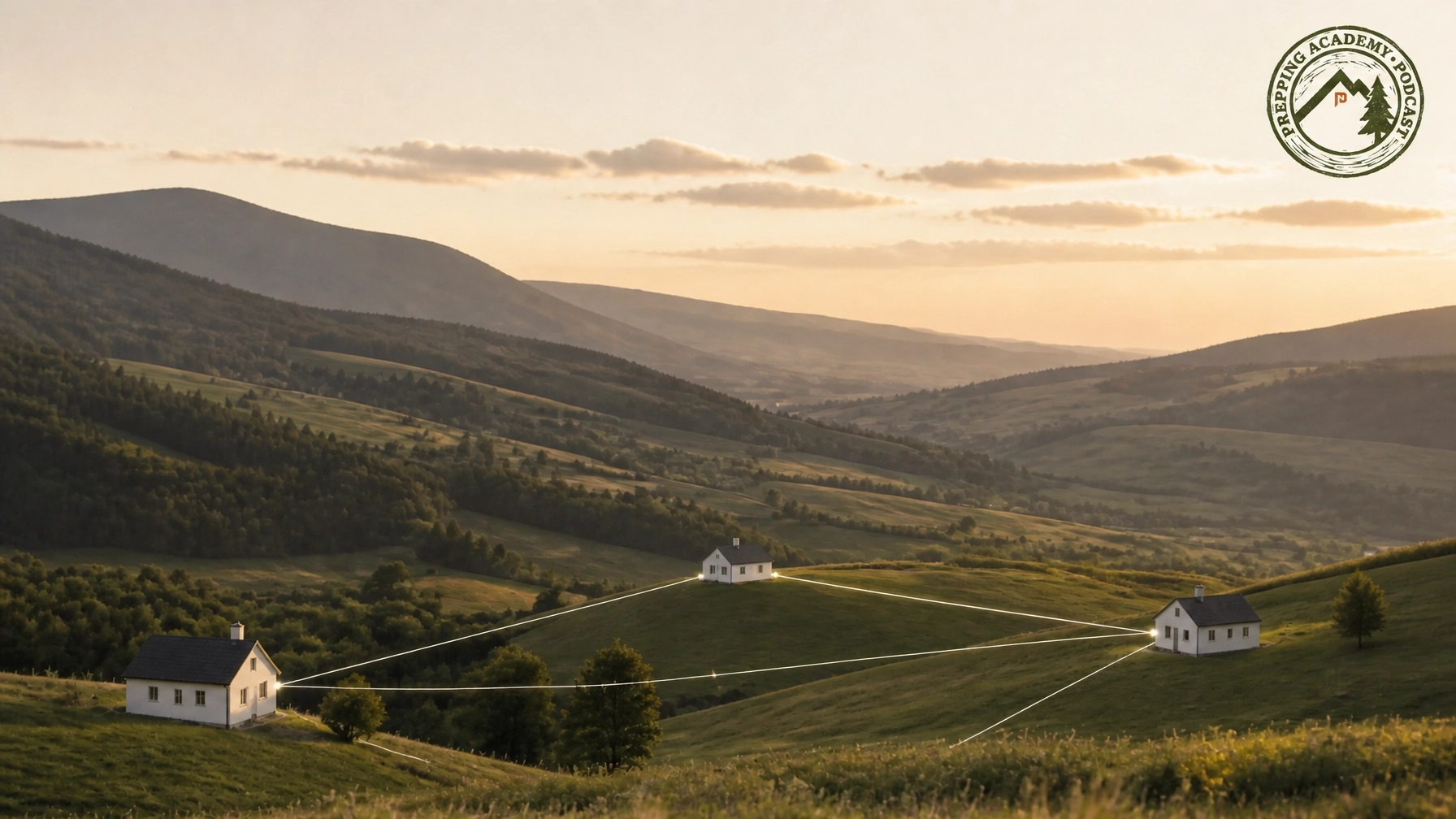
We live in a world where staying connected is usually as easy as pulling a phone out of a pocket. But as preppers, we know that the systems we rely on: cell towers, fiber lines, and the power grid: are more fragile than they look. When those systems fail, your ability to talk to your family and your tribe becomes your most valuable asset.
Building a mesh network isn't just a technical project. It's an act of stewardship. We believe that being prepared is a responsibility we've been given. In the Bible, we see constant themes of being a watchman on the wall and caring for our neighbors. By setting up an off-grid communication system, you're not just looking out for yourself. You're creating a lifeline for your community. Stewardship means managing the resources and technology we have today to protect the people we love tomorrow. If you've been feeling a nudge to get your "comms" in order, consider this your sign to start.
Why Your Tribe is the Number One Prep
Before we dive into the wires and boards, let’s be clear about one thing: community is the number one prep. You can have all the gear in the world, but if you're alone, you're vulnerable. A mesh network is the digital glue that holds a Mutual Assistance Group (MAG) together.
We often talk on the Prepping Academy Podcast about how "lone wolves" don't last long in serious emergencies. Mesh networks like Meshtastic are designed to work better as more people join. Every person who sets up a node makes the whole network stronger for everyone else. That’s the definition of a tribe.
Step 1: Plan Your Network and Pick Your Gear

The first step is figuring out who needs to talk to whom. Are you trying to connect with a neighbor three houses down, or a MAG member five miles away? Terrain matters. Trees, hills, and buildings can block the low-power radio signals these devices use.
We recommend starting with Meshtastic. It’s an open-source project that uses LoRa (Long Range) radio technology. It’s cheap, it doesn’t need a license like Ham radio, and it’s incredibly effective.
Hardware we like:
- Heltec V3: This is the "gold standard" for beginners. It has a built-in screen and Bluetooth, making it very easy to set up.
- LilyGO T-Beam: A bit more advanced, often including GPS.
- RAK WisBlock: Great for building solar-powered "repeater" nodes that sit on your roof or a nearby hill.
You’ll also need a good antenna. The tiny ones that come in the box are okay for testing, but if you want real distance, grab a high-gain 915 MHz antenna (for those of us in the US). We've seen these units reach 10 miles or more when placed high up with a clear line of sight.
Step 2: Flash the Firmware
Once your hardware arrives, you need to give it a "brain." This is called flashing the firmware. It sounds technical, but it’s actually pretty simple now.
- Connect your device to your computer using a USB cable.
- Use a Chrome-based browser and head to the Meshtastic Web Flasher.
- Select your device type (like Heltec V3) and the latest stable software version.
- Click "Flash" and wait a few minutes.
We’ve found that doing this together as a group project at a PrepperNet meeting makes the process much faster. If one person knows how to do it, they can help everyone else get their nodes running in a single afternoon.
Step 3: Configure for Security and Privacy

Now that your node is alive, you need to set it up. Use the Meshtastic app on your phone to connect to your node via Bluetooth.
- Set Your Region: For the US, set this to "US" (915 MHz).
- Create a Private Channel: This is vital for your MAG. By default, Meshtastic uses a public channel. You want to create a private, encrypted channel for your tribe. The app will generate a QR code. When your friends scan that code, they’re automatically added to your secure group.
- Choose a Callsign: Don't use your real name. Use a nickname or a callsign. It’s better for situational awareness and general security.
Remember, communications vulnerabilities are real. Encrypting your channel ensures that while others might see that someone is transmitting, they won't know what you're saying.
Step 4: Build the "Tribe" Network

This is the most important step. A mesh network is only as good as the people using it. To make your network robust, you need "hops." When you send a message, it doesn't just go to the recipient; it bounces off every other node in the network until it finds them.
How to expand your tribe:
- Identify High Points: Find the tallest houses or hills in your group. Place "always-on" repeater nodes there.
- Solar Power: Use small solar panels and batteries to keep these repeaters running even if the grid goes down.
- The PrepperNet Connection: Check your local PrepperNet chapter. Many chapters are already building city-wide mesh networks. By joining them, you instantly tap into a much larger communication grid.
When we talk about community, we're talking about the peace of mind that comes from knowing your neighbors are just a text message away, even if the cell towers are dark. That is the true power of a mesh network.
Step 5: Test and Maintain
Don't wait for a storm or a blackout to see if your network works. We recommend running a weekly "comms check."
Pick a time once a week: maybe Sunday evening: for everyone in your MAG to send a quick check-in message. This does two things: it tests the hardware and it builds the habit. You’ll quickly find out if a battery has died or if a new building has blocked a signal path.
Staying prepared is an ongoing journey, not a destination. It’s about being ready to serve and protect when the time comes. As we always say on the podcast, we don't prep out of fear; we prep so we can be the calm in the middle of the storm.
Final Thoughts
Building a mesh network is one of the most practical things you can do for your family's safety. It bridges the gap between high-tech convenience and off-grid reality. But never forget that the technology is just a tool. The real strength is the person on the other end of the radio.
If you're looking for more gear reviews or practical skills, head over to PrepperFinds or listen to our latest episodes on The Prepping Academy. We’re all in this together.
Stay prepared. Stay connected. Build your tribe.
SEO Metadata
- SEO Title: 5 Steps to Build a Mesh Network and Stay Connected (Easy Guide for Beginners)
- Meta Description: Learn how to build an off-grid mesh network with this beginner's guide. Stay connected with your tribe when cell towers fail using Meshtastic.
- Focus Keyword: mesh network
- Tags: mesh network, Meshtastic, off-grid communication, emergency communication, ham radio alternative, prepper tech, survival communication, tribal network, MAG communication, grid down
- Featured Image Alt Text: Clean landscape with mesh network connection lines overlaying the terrain in warm earthy tones.
- Featured Image Caption: A mesh network keeps your tribe connected even when the grid goes down.